
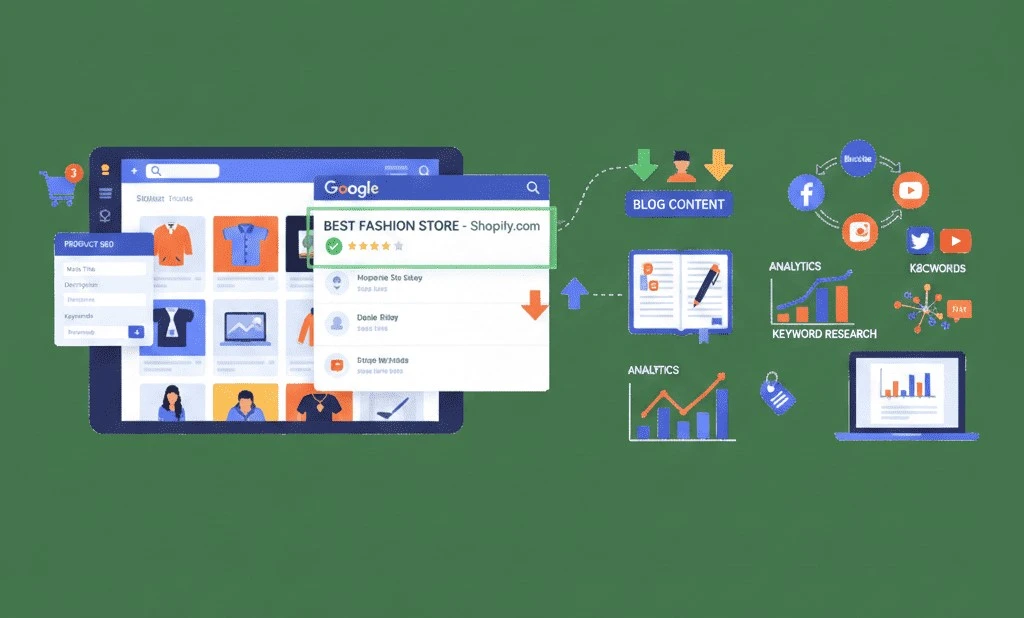
Running a Shopify store is just the first step in building a successful online business. But even with the most stunning product pages, without proper SEO, your store may remain invisible to potential customers.
Shopify SEO helps your store appear in Google search results, attract organic traffic, and convert visitors into paying customers. In this guide, we’ll explore everything you need to know to optimize your Shopify store for Google and rank fast, including on-page SEO, technical SEO, off-page strategies, content marketing, and advanced SEO techniques.
What is Shopify SEO?
Shopify SEO is the process of optimizing your online Shopify store to rank higher in search engines like Google, Bing, and Yahoo.
This involves optimizing:
- Product pages to target relevant keywords
- Category pages for search intent
- Blog posts to attract organic traffic
- Technical SEO such as site speed, mobile optimization, and structured data
With proper Shopify SEO, you can:
- Increase organic traffic
- Improve conversion rates
- Reduce dependency on paid ads
Build long-term brand authority
Why Shopify SEO is Critical for Your Online Store
Here’s why investing in Shopify SEO is essential:
- Organic Traffic: Unlike paid ads, SEO brings consistent traffic without ongoing costs.
- Higher Conversions: Visitors who find your store organically are more likely to trust and buy.
- Cost-Effective Marketing: Long-term SEO reduces marketing spend.
- Brand Authority: Ranking high on Google signals trustworthiness.
- Competitive Edge: Optimized stores outrank competitors in your niche.
Example: A Shopify store selling handmade candles optimized for keywords like “organic soy candles” and “best scented candles online” can rank on Google, attracting buyers actively searching for these products.
Understanding the Shopify SEO Checklist
Before diving into optimization, it’s helpful to have a checklist:
- Keyword research for products, categories, and blogs
- Optimized product titles, meta descriptions, and URLs
- Image alt text and compressed images
- Mobile-friendly design and responsive theme
- Fast-loading pages and optimized Shopify apps
- Backlinks from high-authority sites
- Content marketing strategy (blogs, videos, guides)
- Analytics tracking via Google Search Console & Google Analytics
On-Page SEO Strategies for Shopify
On-page SEO ensures each page is optimized for both users and search engines.
- Optimize Product Titles & Descriptions
- Include primary keywords naturally
- Write engaging, benefit-focused descriptions
- Example: Instead of “Blue Candle,” write “Organic Soy Blue Candle – Long-Lasting Scented Candle for Relaxation”
- Optimize Meta Titles & Descriptions
- Meta title: ≤ 60 characters, include primary keyword
- Meta description: ≤ 160 characters, compelling CTA
- Example: “Shop Organic Soy Blue Candles Online – Free Shipping & Long-Lasting Fragrance”
- URL Structure
- Use simple, clean URLs: yourstore.com/organic-soy-blue-candle
- Avoid long URLs or unnecessary parameters
- Header Tags (H1, H2, H3)
- H1: Product or page title
- H2: Subheadings like “Benefits” or “Usage Instructions”
- H3: Smaller sections such as “Shipping Info”
- Optimize Images
- Include descriptive filenames: organic-soy-blue-candle.jpg
- Add alt text: “Organic soy blue candle with calming fragrance”
- Compress images to improve page speed
- Internal Linking
- Link related products or blog posts
Example: On a candle page, link to “Scented Candle Gift Sets”
Technical SEO for Shopify Stores
Technical SEO ensures your store is easily crawlable and indexable by search engines.
- Mobile Optimization
- Use responsive Shopify themes
- Test with Google Mobile-Friendly Tool
- Site Speed
- Compress images, minimize apps, remove unnecessary scripts
- Use fast Shopify hosting
- SSL & Security
- Shopify provides free SSL (HTTPS)
- Ensures safe transactions and better rankings
- Sitemap & Robots.txt
- Shopify automatically generates sitemap.xml
- Ensure all product pages are indexed
- Structured Data (Schema Markup)
- Add product schema for price, availability, and reviews
Helps display rich snippets on Google
Off-Page SEO Strategies for Shopify
Technical SEO ensures your store is easily crawlable and indexable by search engines.
- Mobile Optimization
- Use responsive Shopify themes
- Test with Google Mobile-Friendly Tool
- Site Speed
- Compress images, minimize apps, remove unnecessary scripts
- Use fast Shopify hosting
- SSL & Security
- Shopify provides free SSL (HTTPS)
- Ensures safe transactions and better rankings
- Sitemap & Robots.txt
- Shopify automatically generates sitemap.xml
- Ensure all product pages are indexed
- Structured Data (Schema Markup)
- Add product schema for price, availability, and reviews
Helps display rich snippets on Google
Content Marketing Strategies for Shopify
Content helps drive organic traffic and educate your audience:
- Blogging
- Write guides, tips, and product-related blogs
- Target long-tail keywords: “How to choose organic candles for home decor”
- Video Marketing
- Product demos and tutorials
- Share on YouTube and embed in product pages
- FAQ Pages
- Add FAQs for each product
- Helps rank for featured snippets on Google
- Guides & Tutorials
- Example: “Top 10 Candle Gift Ideas for Your Loved Ones”
Shopify SEO Apps & Tools
- Plug in SEO: Checks SEO issues on your store
- SEO Manager: Optimize meta tags and URLs
- Ahrefs / SEMrush: Keyword research and competitor analysis
- Google Search Console & Analytics: Track SEO performance
- TinyIMG or Crush Pics: Image optimization
Advanced Shopify SEO Tips
- Use canonical tags to avoid duplicate content
- Optimize category pages for product groups
- Implement breadcrumb navigation for better indexing
- Use accelerated mobile pages (AMP) for blogs
- Create content clusters linking blogs to product pages
Common Shopify SEO Mistakes to Avoid
- Duplicate product descriptions
- Ignoring meta titles & descriptions
- Poor URL structure
- Missing image alt text
- Slow-loading pages
- Ignoring mobile optimization
Measuring Shopify SEO Performance
- Track organic traffic via Google Analytics
- Monitor keyword rankings with Ahrefs / SEMrush
- Use Google Search Console to check indexing issues
- Track conversions and sales from organic traffic
Frequently Asked Quetions
Q1: How long does it take to rank a Shopify store on Google?
A: Typically 3–6 months, depending on competition and SEO efforts.
Q2: Do Shopify stores need a blog for SEO?
A: Yes, blogs attract organic traffic, build authority, and help rank for long-tail keywords.
Q3: Can I do Shopify SEO myself?
A: Yes, but using professional Shopify SEO services accelerates results.
Q4: Does social media help Shopify SEO?
A: Indirectly, as social shares increase traffic and backlinks.
Q5: Which Shopify SEO apps are most effective?
A: Plug in SEO, SEO Manager, and TinyIMG are popular tools for optimization.
Conclusion
Ranking your Shopify store on Google requires a multi-layered SEO strategy. Combining on-page SEO, technical SEO, off-page SEO, and content marketing will help you drive organic traffic, improve sales, and grow your brand online.
By following these Shopify SEO best practices, your store can climb the search rankings faster, attract the right customers, and generate long-term revenue.
Investing time and effort—or partnering with professional Shopify SEO services—can give your online store a competitive edge and make your products visible to buyers actively searching on Google.